Nuke 17.1 closed beta.
Hello, and welcome Nuke testers!
We're excited to share the first beta of our upcoming Nuke 17.1 release for you to try out and provide feedback on.
As these features are part of a beta build, we strongly recommend that you do not use them in a production environment.
To access the beta, you will need a current Nuke, NukeX or Nuke Studio license. If you don’t have one of these, you can access the beta by signing up for our free 30-day trial.
Worried your maintenance might have lapsed? Request a callback from our team.
Tell us what you think
If you need support for anything unrelated to the beta, please raise a ticket for Foundry’s Support team via our Support Portal
For feedback on the Nuke 17.1 beta that you'd like to share with us and the private prerelease mailing group (including other beta testers), please use: foundry-nuke-prerelease@googlegroups.com
If you have any private feedback on the beta that you'd like to share with us, please use our private mailbox: nuke-prerelease-private@foundry.com
Thank you for your assistance, continued support and enthusiasm for Nuke!
The following features (identifiers listed below) are currently in beta and are what we would like you to concentrate your feedback on.
Please use feature [identifiers] at the beginning of the subject line in your emails, for example:
[GeoSequencer] - I hired an assistant to alphabetically arrange my rock collection; he’s my GeoSequencer.
The 3D system
[3DExport] Export only your Nuke changes
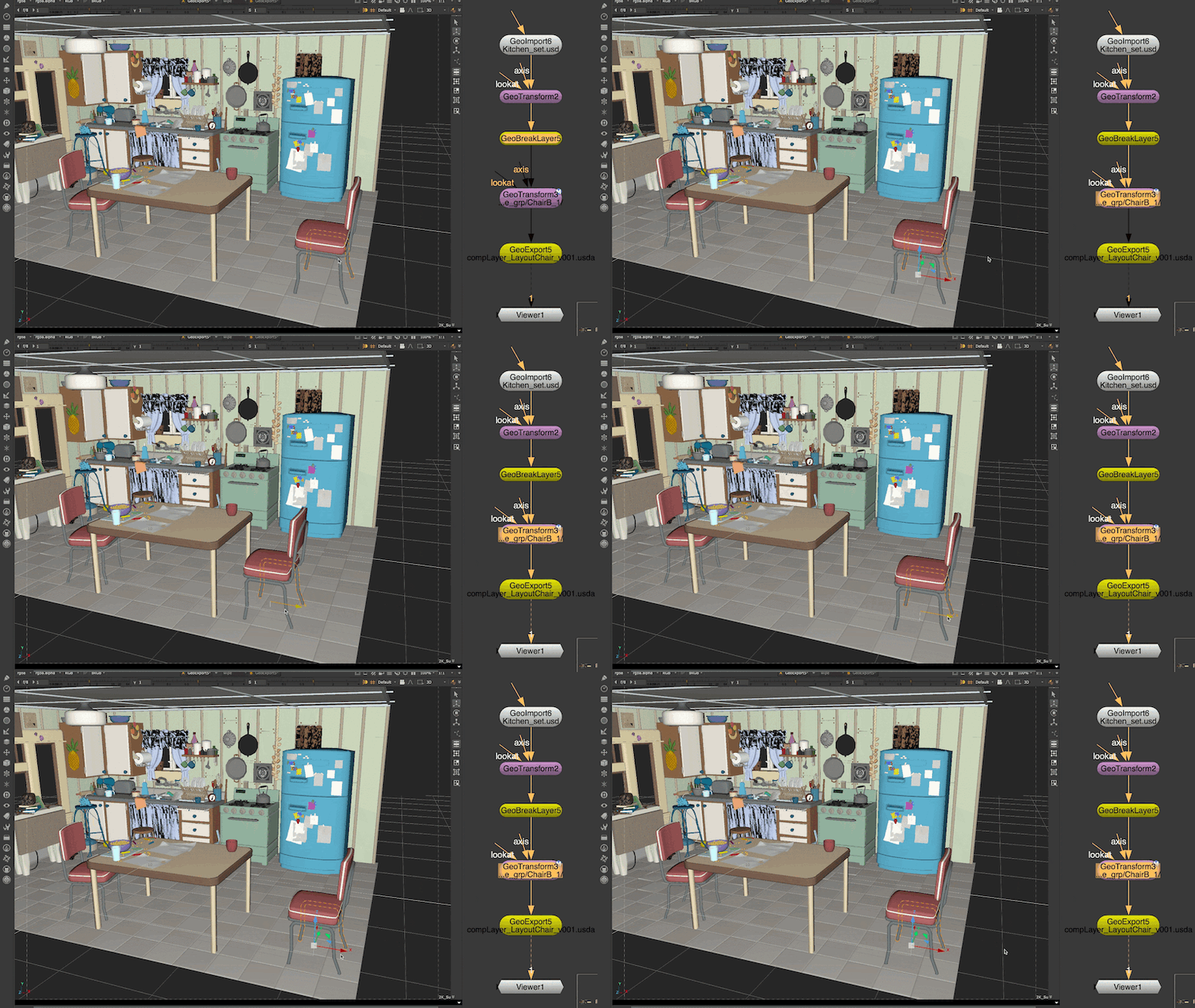
Nuke now empowers artists with non-destructive USD export workflows, allowing you to explicitly define sublayers, export specific scene modifications as lightweight "overs" using the GeoBreakLayer node, and reliably preserve existing composition arcs from imported stages. This update transforms Nuke into a fully collaborative 3D hub by eliminating the need to destructively flatten scenes, enabling seamless round-tripping with other departments.
Gaussian Splats
[GeoSequencer] Prepare a sequence of Splats
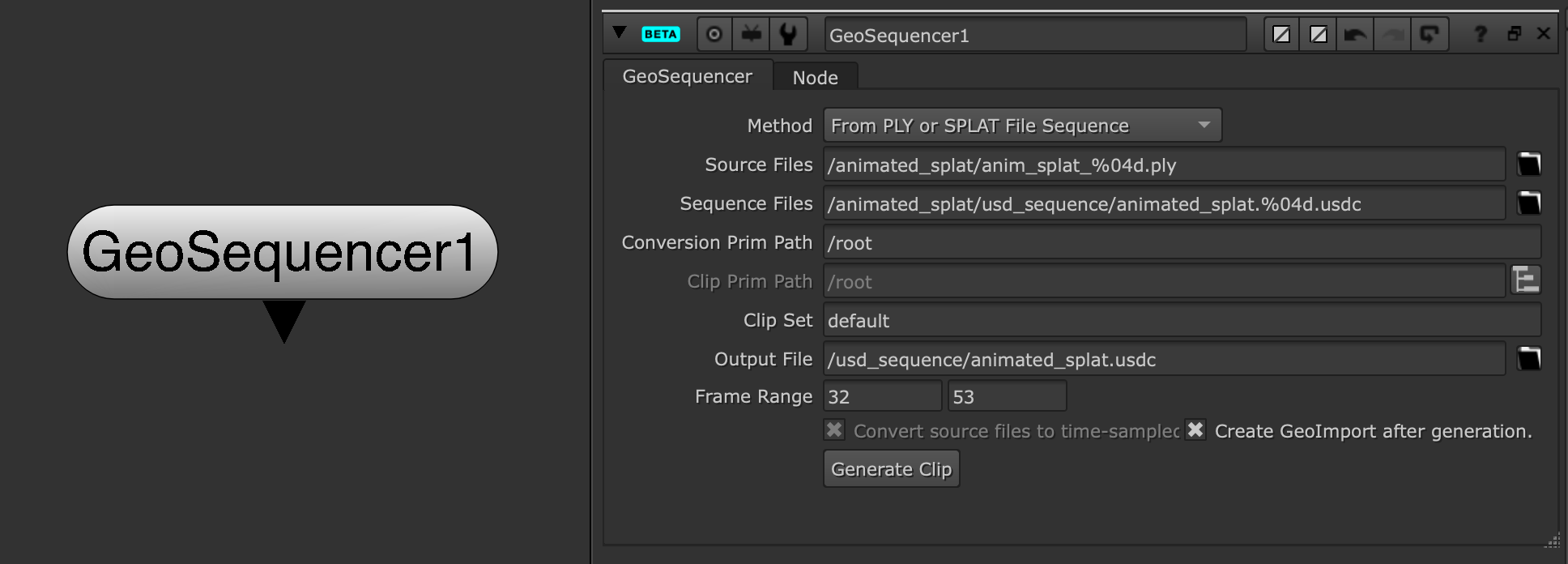
Support for animated Gaussian splats is now available. The new GeoSequencer node allows you to quickly process a sequence of .ply or .splat files and output them as a time sampled .USDC file to be manipulated by Nuke's existing splat toolset.
In addition to being able to utilise Nuke’s powerful toolset the benefit of using a USD Value Clip for animated Gaussian splats is it’s more performant than reading .ply files directly. USDC files are faster to read and are more memory efficient as the attribute data is not loaded all at once.
The GeoSequencer node currently offers the following options:
- Method - This selects the type of source sequence being read and populates the node accordingly.
- Source Files - Contains the path to the sequence being read.
- Sequence Files - The output path for the generated USDC sequence files.
- Conversion Prim Path - The path of the USD Prim for the generated sequence.
- Clip Prim Path - This will only be enabled in the case of USD sequences, and allows a user to pick an existing USD prim path.
- Output File - The output path for the primary USDC file (a manifest and topology file will also be created here).
- Frame Range - The frame range of the source file sequence. It can be edited to provide a different frame range in the generated USDC sequence.
- Convert Source Files to Time Samples - If the source files are a USD or USDC sequence these may or may not contain existing time samples. This check box can be set depending on whether the sequence needs these time samples to be generated or the USDC sequence only needs to be generated.
- Create GeoImport after Generation - Check this to automatically create a populated GeoImport node after the USD Value Clip has been generated.
- Generate Clip - Clicking this will generate the USD Value Clip on disk for use in your composite.
[GSExport] GeoExport Support
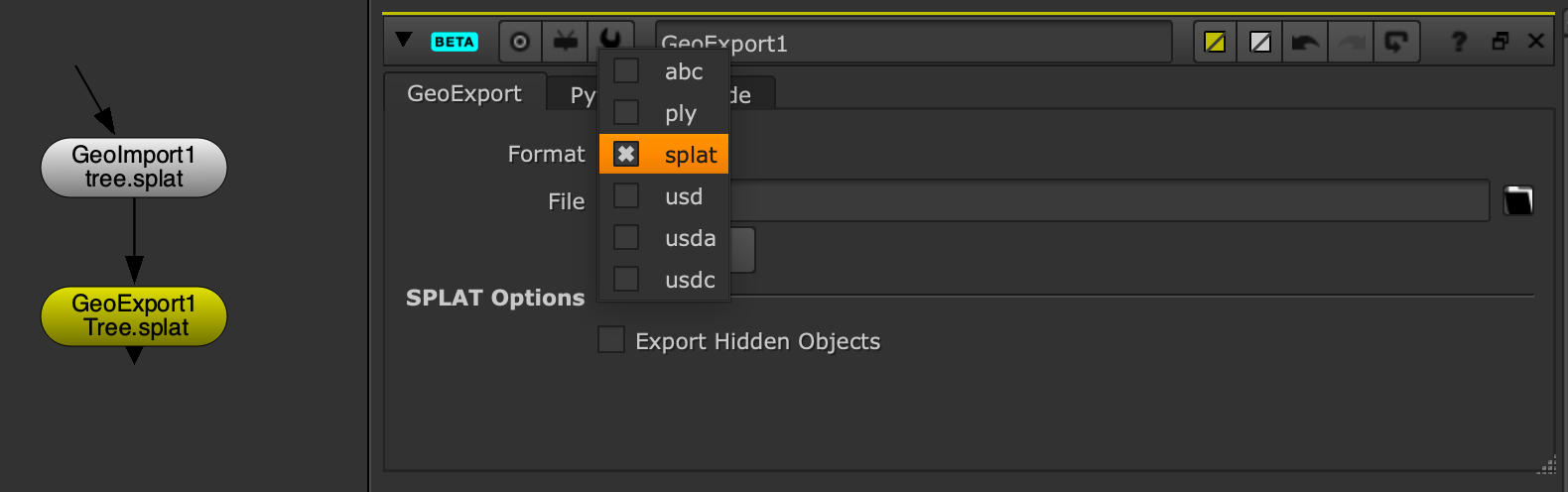
It is now possible to export .splat files from the GeoExport node in Nuke. This means that you can manipulate your splat sequences and output them in the format required for use in your wider pipeline.
Graph Scope Variables
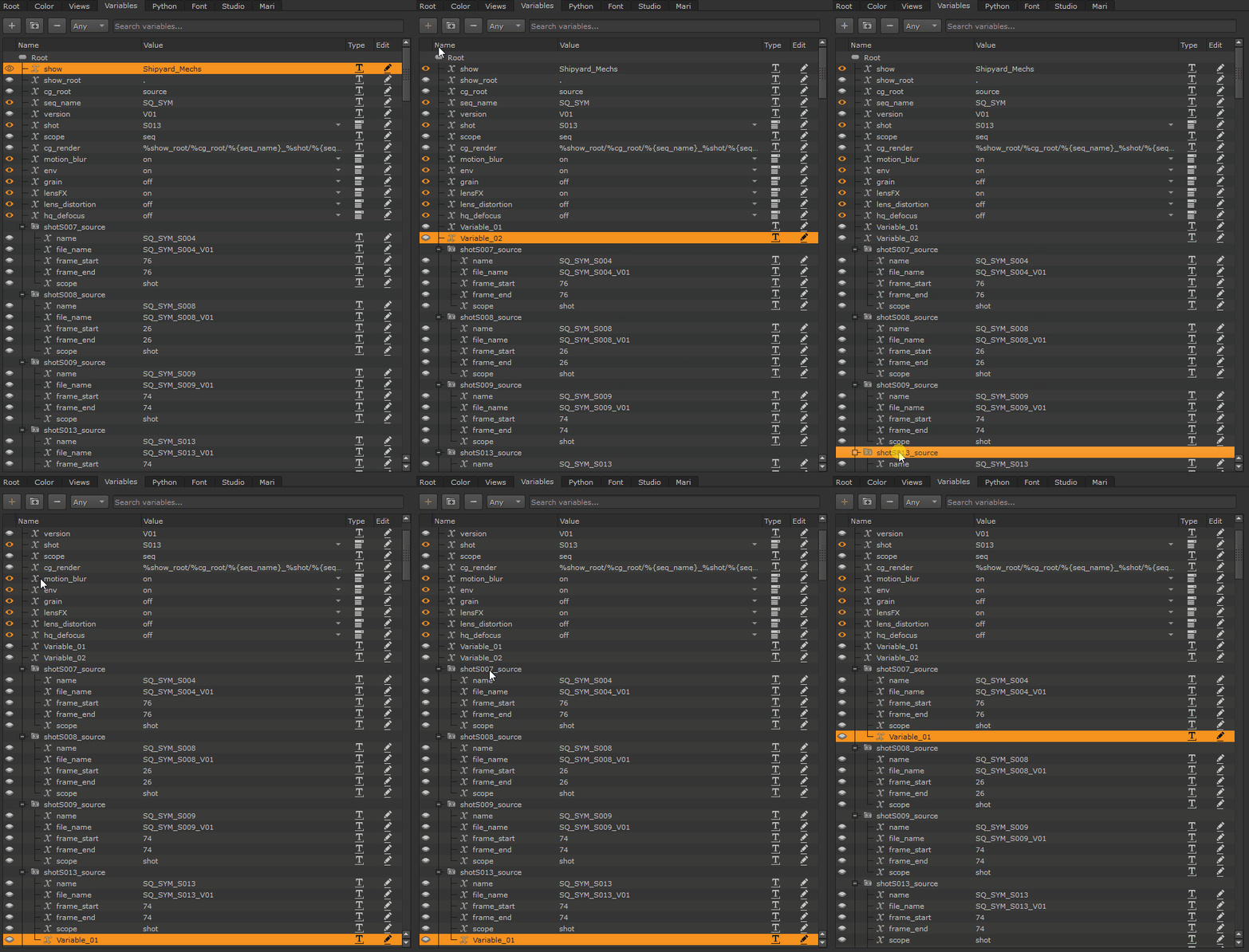
[GSV] Work more intuitively with Graph Scope Variables
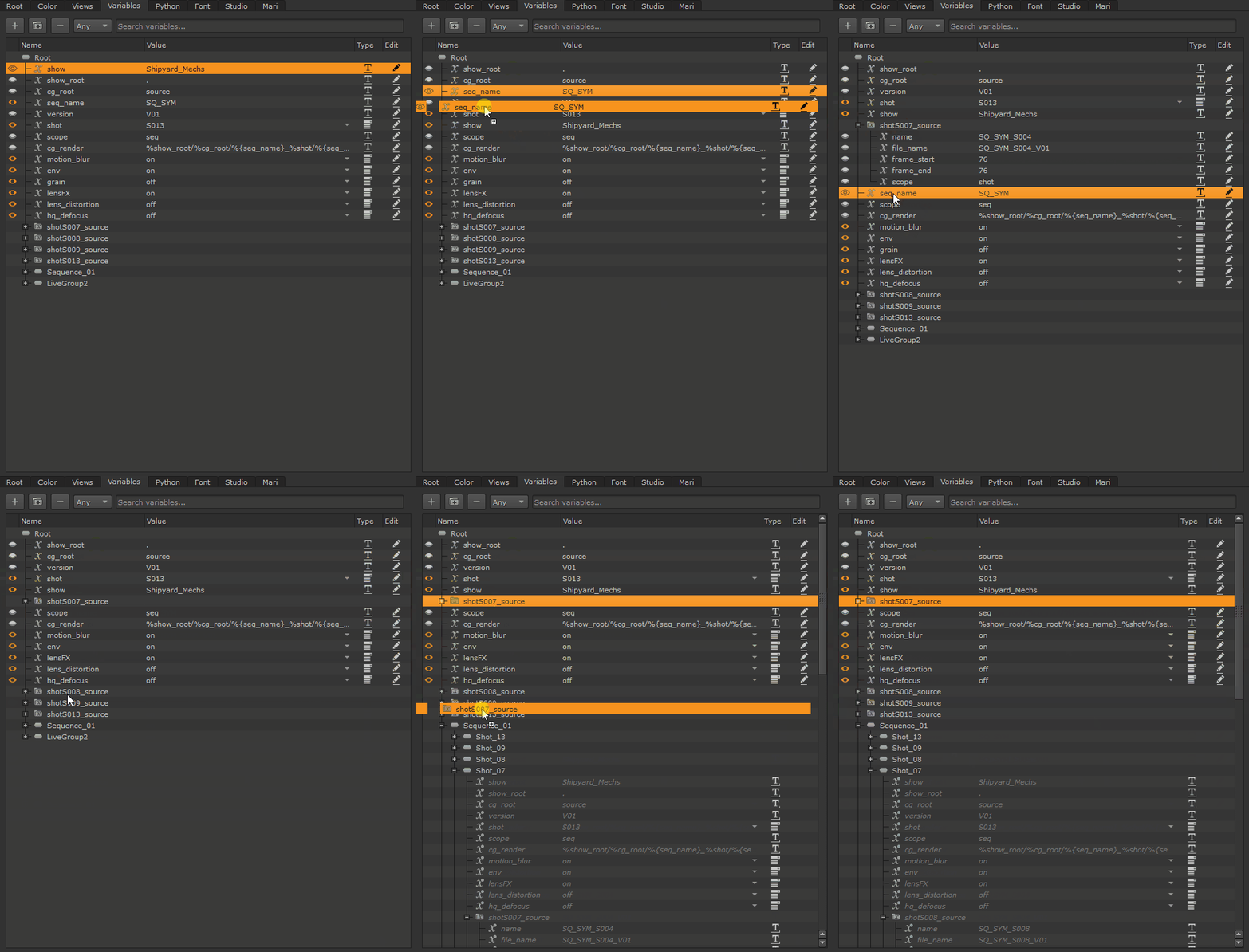
The Variables tab in the Project Settings has received a series of improvements to make working with Graph Scope Variables faster and more intuitive. New items are automatically selected on creation, and Variables can now be freely reordered and moved within the tab, with full undo/redo support throughout.
Key improvements:
- Reorder and move variables via drag-and-drop.
- Undo/redo support for all reorder and move operations.
- Newly created items are automatically selected.
- Group and set ordering is preserved across sessions.
Timeline and review
[AA] Annotate with Shapes
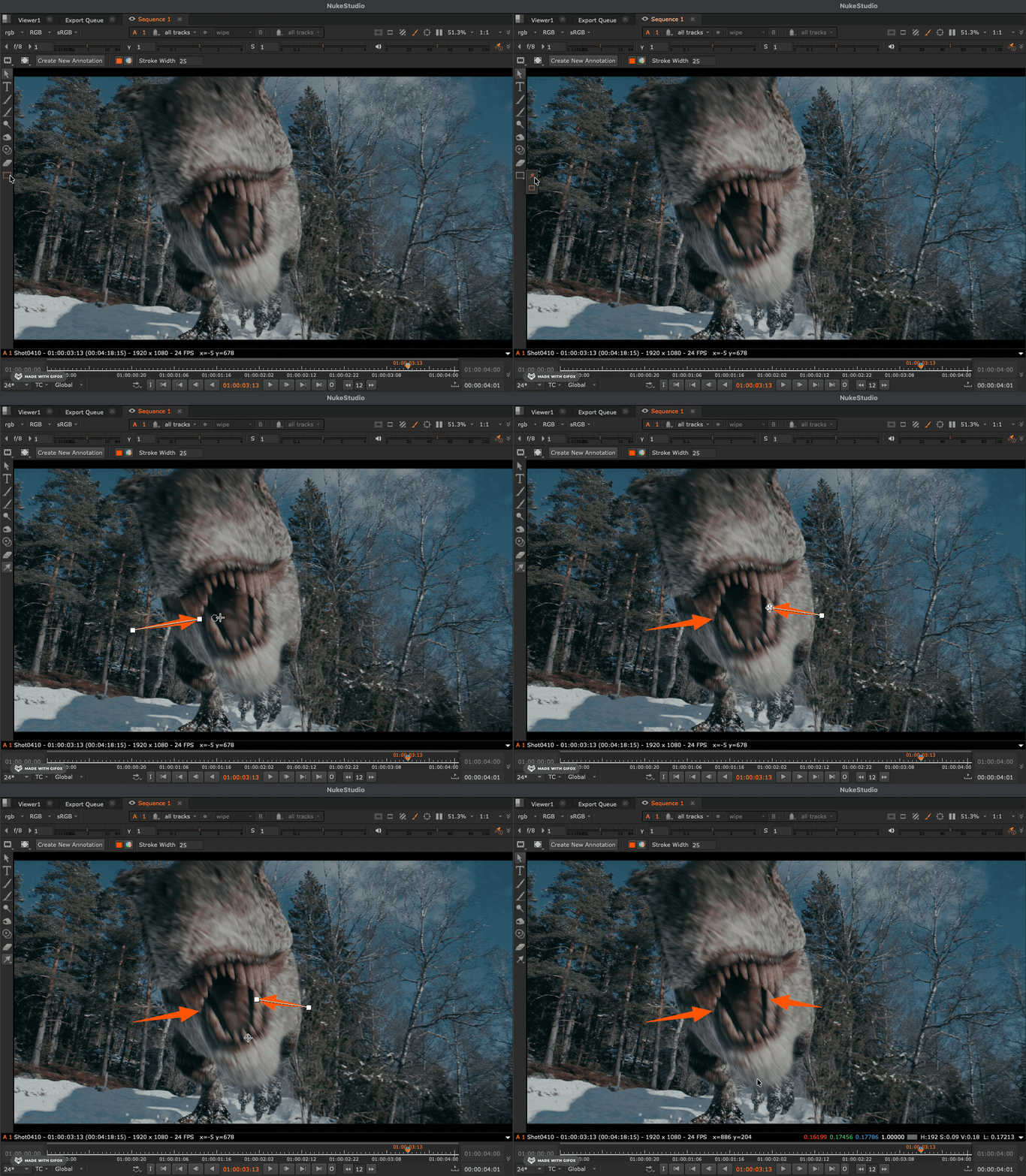
Shapes brings professional-grade precision to the annotation workflow, specifically optimized for mouse and trackpad users.
Key improvements:
- Native support for Rectangles and Arrows, accessible via the 'E' hotkey.
- Full transform, rotate, and scale capabilities for every shape without quality loss.
- Total control over stroke width, stroke color, fill color, and fill transparency.
- Quick-toggle 50% transparency or custom opacity for fill.
- Comprehensive Python API support for automated annotation shape workflows.
[MO] Monitor Out Interactive Mode
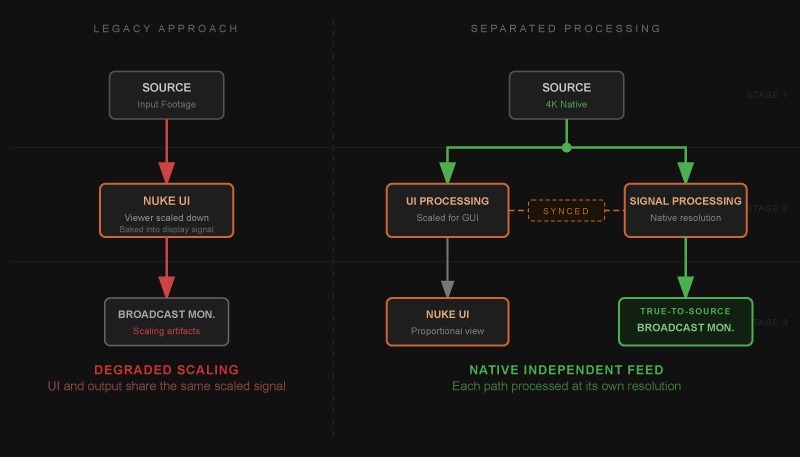
Interactive Mode (GUI-Independent Resolution) ensures that workspace layout does not compromise image fidelity.
Key improvements:
- Broadcast monitor synchronizes with desktop zoom and pan in real-time.
- Independently calculates native-resolution output for the broadcast monitor, bypassing the pixel limits of the desktop viewer panel.
- Eliminates "layout-induced blur" on the broadcast monitor when the GUI viewer is small or constrained by other panels.
- Automated fit-to-width ensures correct framing and eliminates unintended cropping on the external display.
- Supports independent color transforms for each display, allowing for distinct View Transforms (e.g. ACES, Rec.2020, or P3) on both desktop and broadcast monitors simultaneously.