Learn more about the 3D texture artist behind the Mari 8.0 splash screen.
Christina Ryan is a Lead Texture Artist working at Industrial Light & Magic’s Sydney studio, where her team paints the textures that define the look of a 3D mesh. In this role, she’s painted everything from creatures and environments, to vehicles and props.
In our latest Artist Spotlight, we asked Christina about what inspired her to go into VFX as a 3D texture artist, her creative process for creating ‘Marilou’, the spider for the Mari 8.0 splash screen, how she used Mari to bring the design to life, and what advice she has for VFX newcomers.
Is there a particular film/scene/effect that inspired your career in VFX?
I’ve always had a passion for art and storytelling. Growing up, I immersed myself in animated films, video games and anime, and spent much of my youth drawing my favourite characters.
Although I often daydreamed about a career in animation or VFX, I never saw it as a real possibility. That changed during a gap year from university, when I visited an exhibition for How to Train Your Dragon. Seeing the artwork and learning how artists brought the characters to life was a defining moment for me and gave me complete clarity about what to do next.
What do you enjoy most about working in VFX?
I enjoy being creative for a living! VFX aligns naturally with my skills, energy and interests, which makes the work feel meaningful and fulfilling. Each project brings new challenges, and the constant evolution of technology means I’m always engaged and learning new things.
I also really value the VFX community, and getting to work with so many like-minded, talented individuals. I've made so many life long friends over the years.
Can you tell us more about your current role, and how you got there?
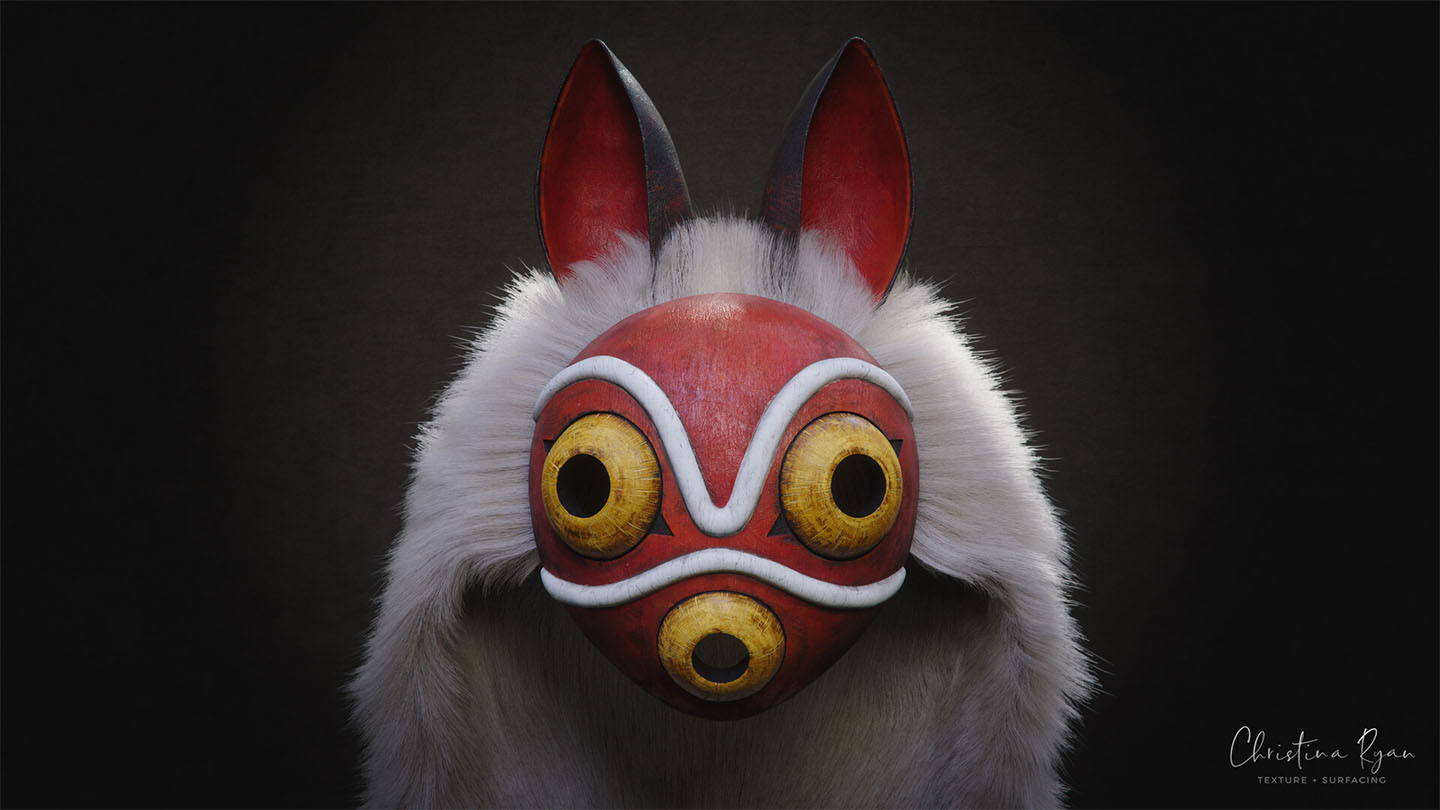
My team’s role has particular emphasis on creativity, attention to detail, storytelling, and traditional painting techniques. We work very closely with model and look development to achieve the final look. As a lead, my role has expanded to include team management and show planning. I provide creative and technical guidance to my team, liaise with artist supervisors and production to plan and assign work, solve issues, and participate in technology/pipeline development.
Visual effects wasn’t my first career path: I actually completed a degree in Veterinary Science at Adelaide University. After three years however, I took a gap to explore other options, during which I reconnected with my creative interests and began looking into careers in animation and VFX.
During a 3D Screen and Media course at the Academy of Interactive Entertainment, a studio approached the school looking for junior artists. I applied, and landed a full-time role. I finished my studies after hours while working as a generalist for a 6-month project.
That early experience accelerated my learning, and I was able to build a professional showreel that led to a Texture and Look Development role at Rising Sun Pictures. After 5 years, I took the leap and moved interstate to Industrial Light & Magic in Sydney, where I’ve been ever since.
What projects are you most proud of and why?
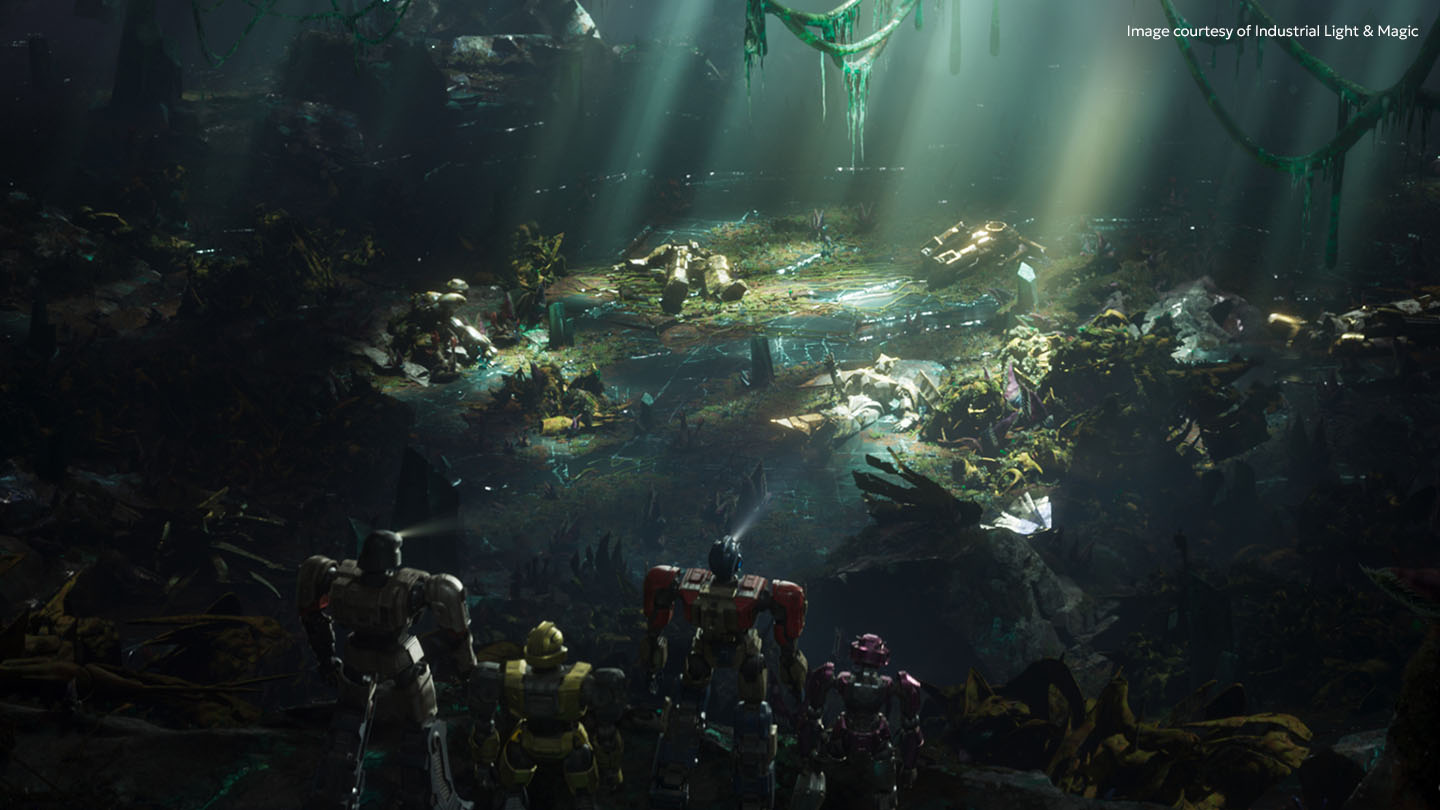
Two projects really stand out for me: Stranger Things 5, and Transformers One, both of which I worked on as Texture Lead.
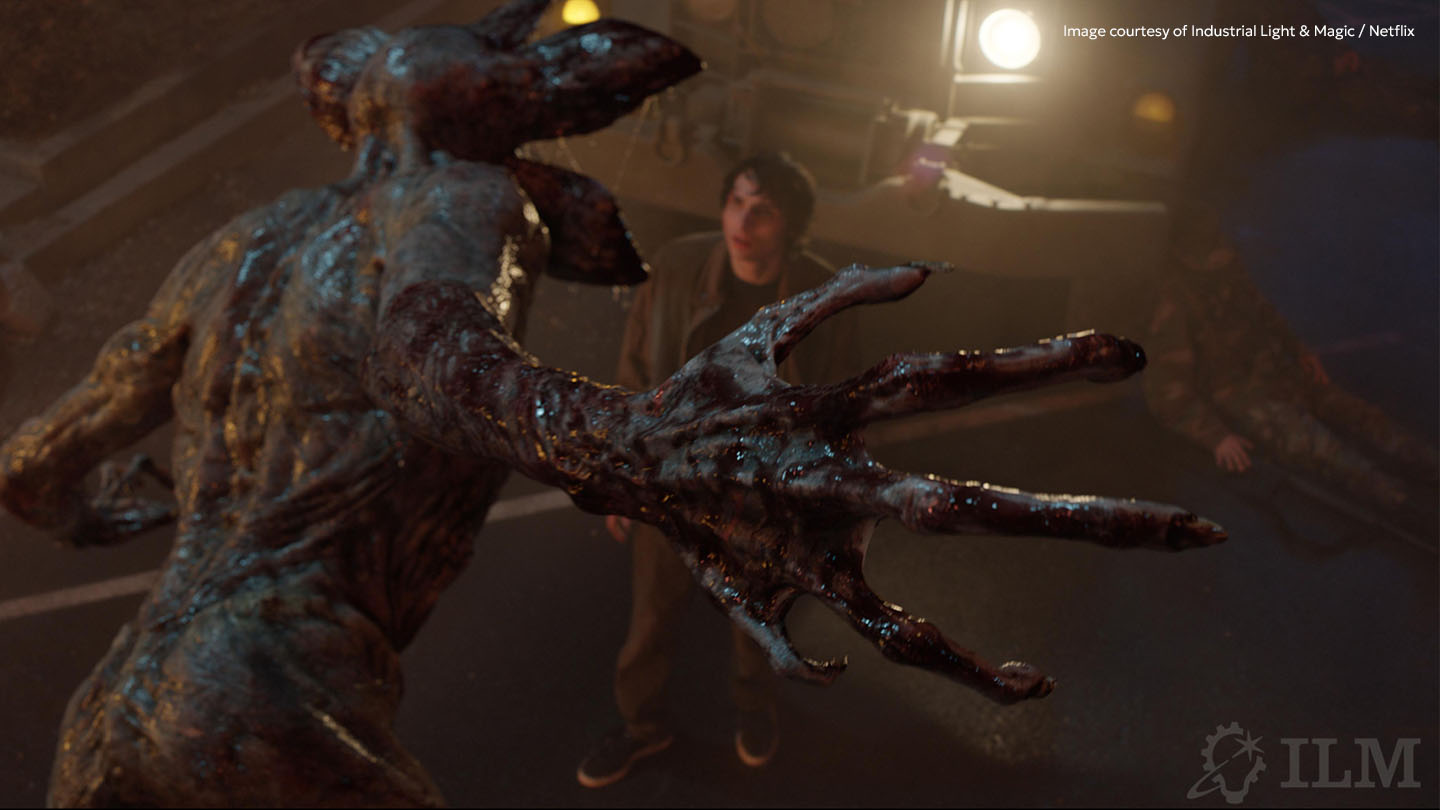
Early in my career, I remember thinking…”wow, how incredible it would be to work on a Demogorgon one day”. Growing up in a small town in Australia, it felt far out of reach. Fast forward a decade, and I had the honour of working on the final season of my dream show, helping to bring its creatures and worlds to life. Experiencing this work with a real emotional connection to the characters and story, was something else entirely. So much heart and passion went into that and I couldn’t be more proud.
Transformers One was also a career highlight. It was my first experience in animation, and we had such a tight team that worked together so well. I felt like I had a lot of creative freedom, and there was this genuine excitement and constant encouragement that made it so memorable.
What was your process for coming up with the idea behind the ‘Marilou’ Mari 8.0 artwork?
One of the hardest parts of any project is getting started, so I really appreciated that Foundry came to me with a mood board for inspiration. It was bright, colorful, and filled with natural elements and cute creatures. It immediately resonated with me and felt very aligned with my personal style.
I knew I’d be spending a long time with this project, so it was important to choose a subject that interested me. I’ve always loved animals and small critters, especially those with a slightly stylised or animated charm.
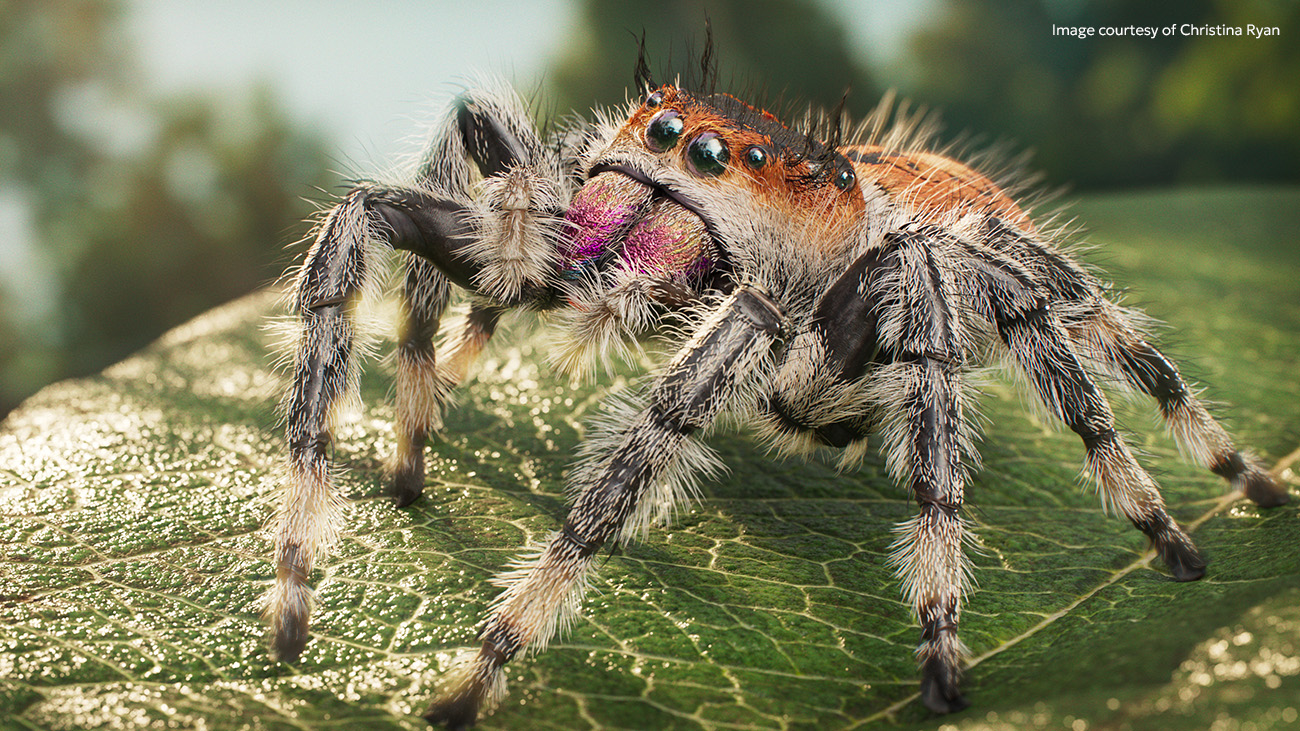
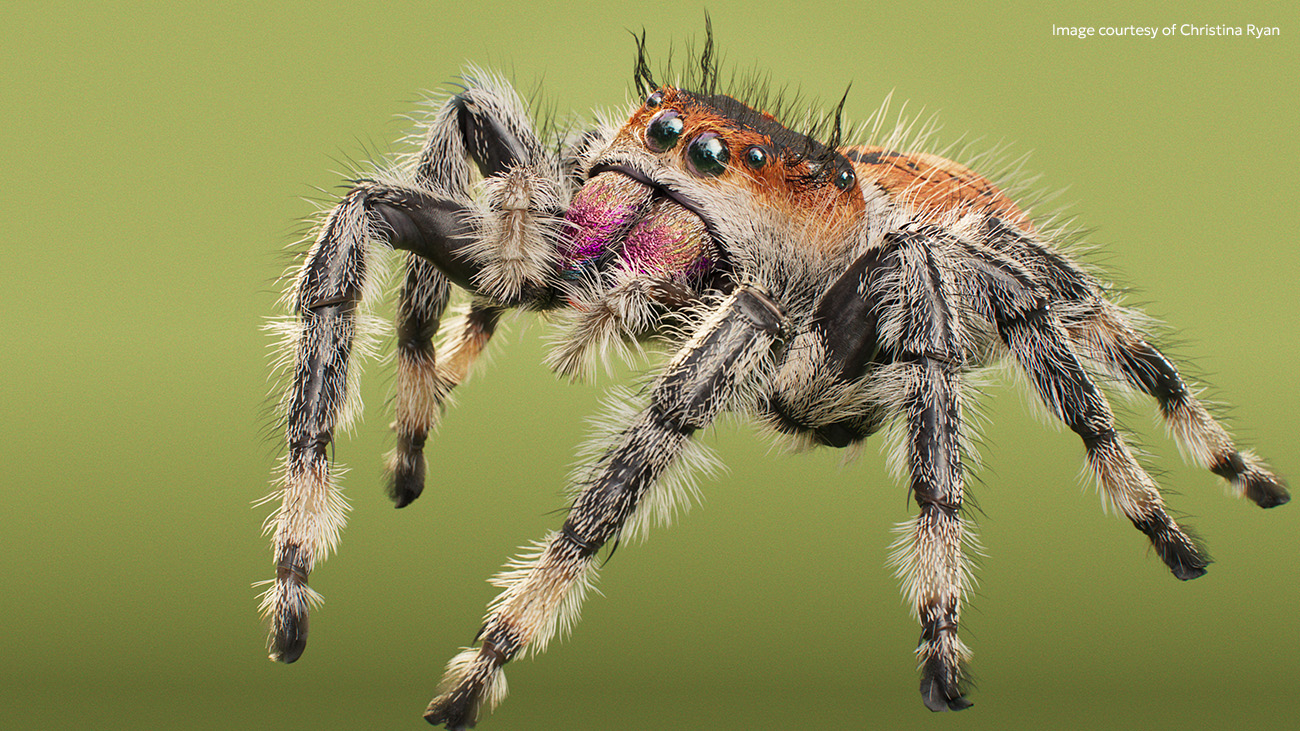
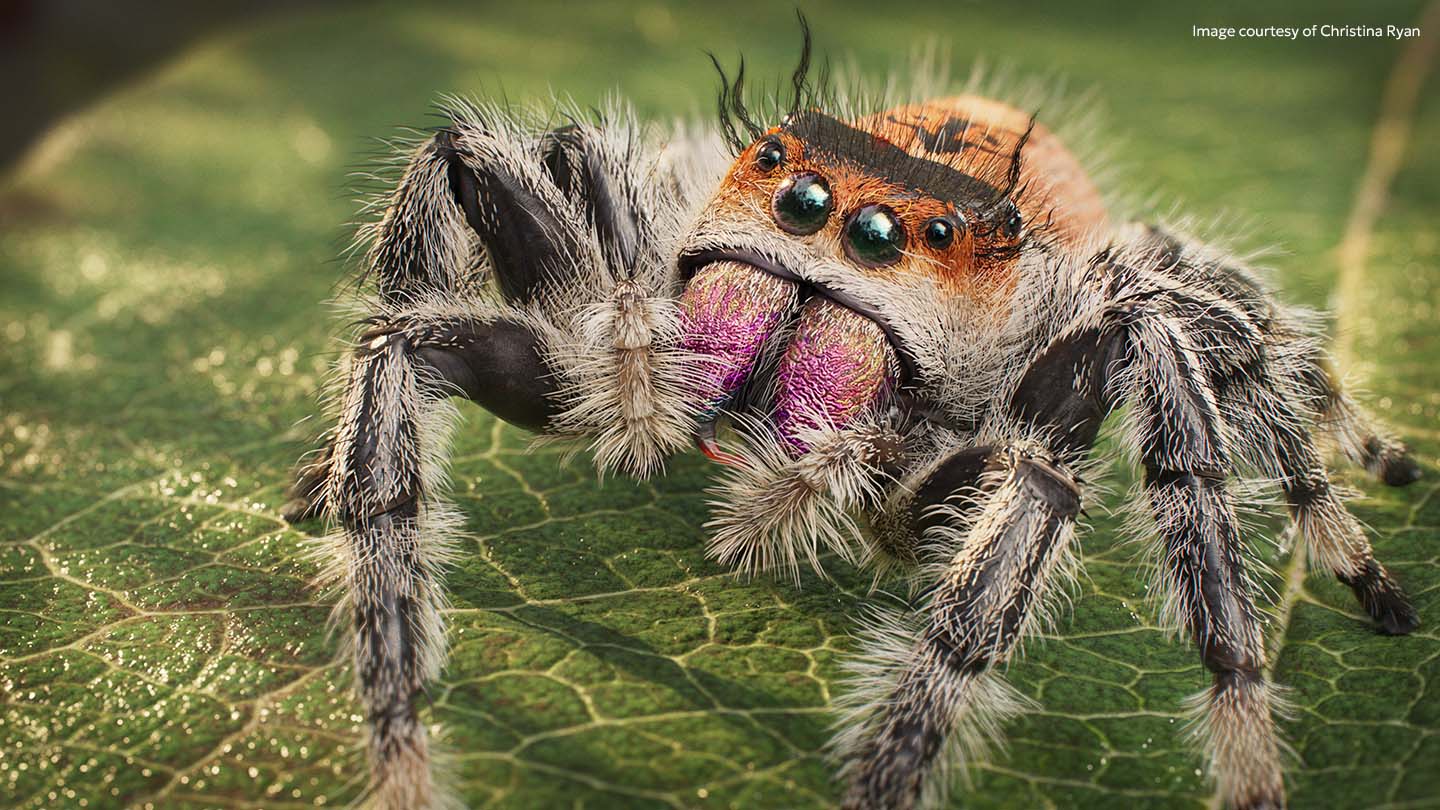
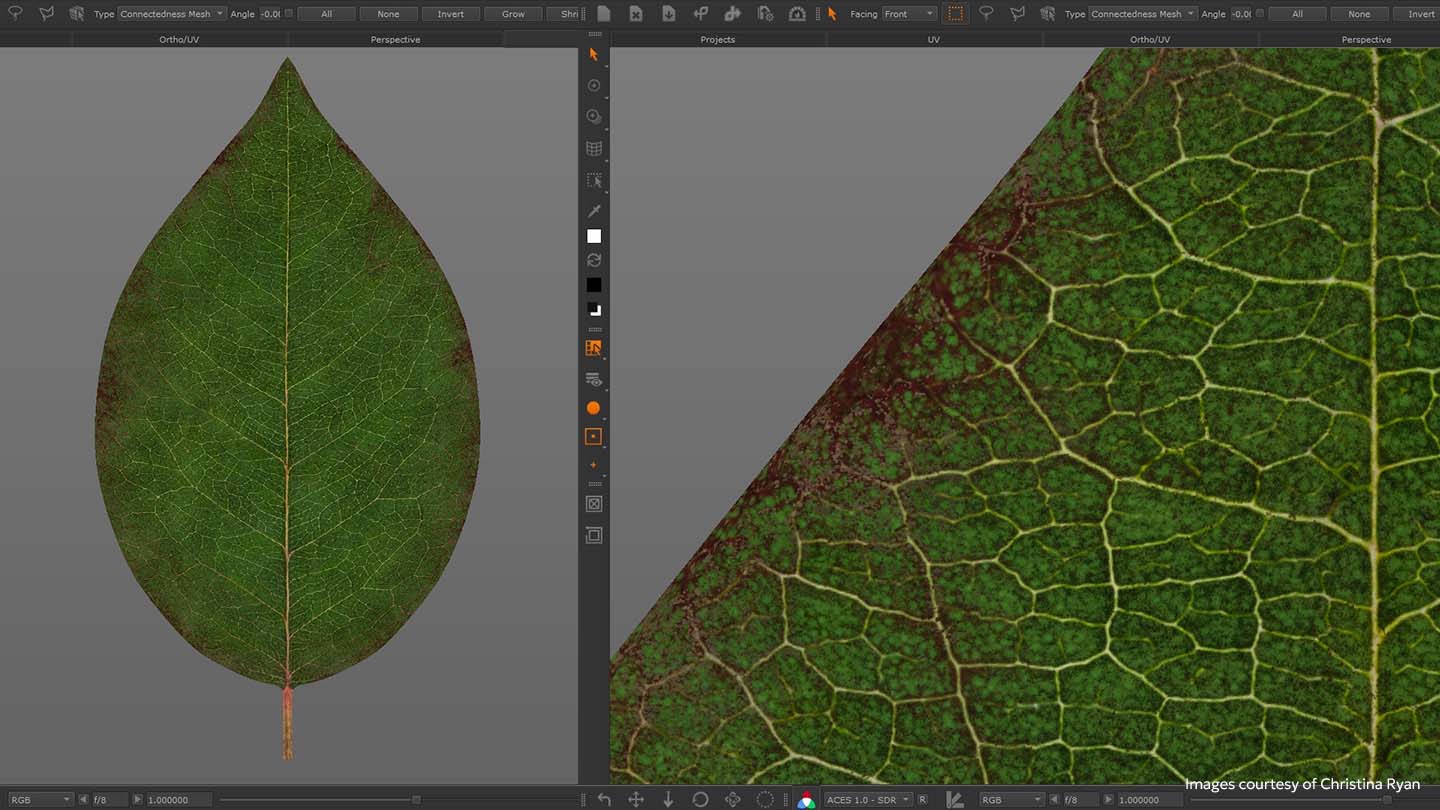
The jumping spider quickly stood out as fascinating, adorable, and full of character. Over time, it also became clear that the eight-legged critter — who I affectionately named Marilou — was the perfect way to represent Mari 8.0. To complete the scene, I created a leaf for Marilou to stand on, which helped ground the character in a natural setting and tie the whole composition together.
Can you tell us about any research you did and real-world references that you used?
Once I landed on the concept of a jumping spider, I spent weeks gathering images into Pureref. I organised them into species, compositions, poses, and anatomical reference. I looked for color palettes that caught my eye (I liked bright green and orange), and compositions/poses that felt cute and approachable (so we didn’t scare any fellow arachnophobes!). Choosing the species was also important, as there are hundreds of jumping spiders. I ultimately settled on the Regal Jumping Spider, which fit my color scheme, and had lots of texture variation.
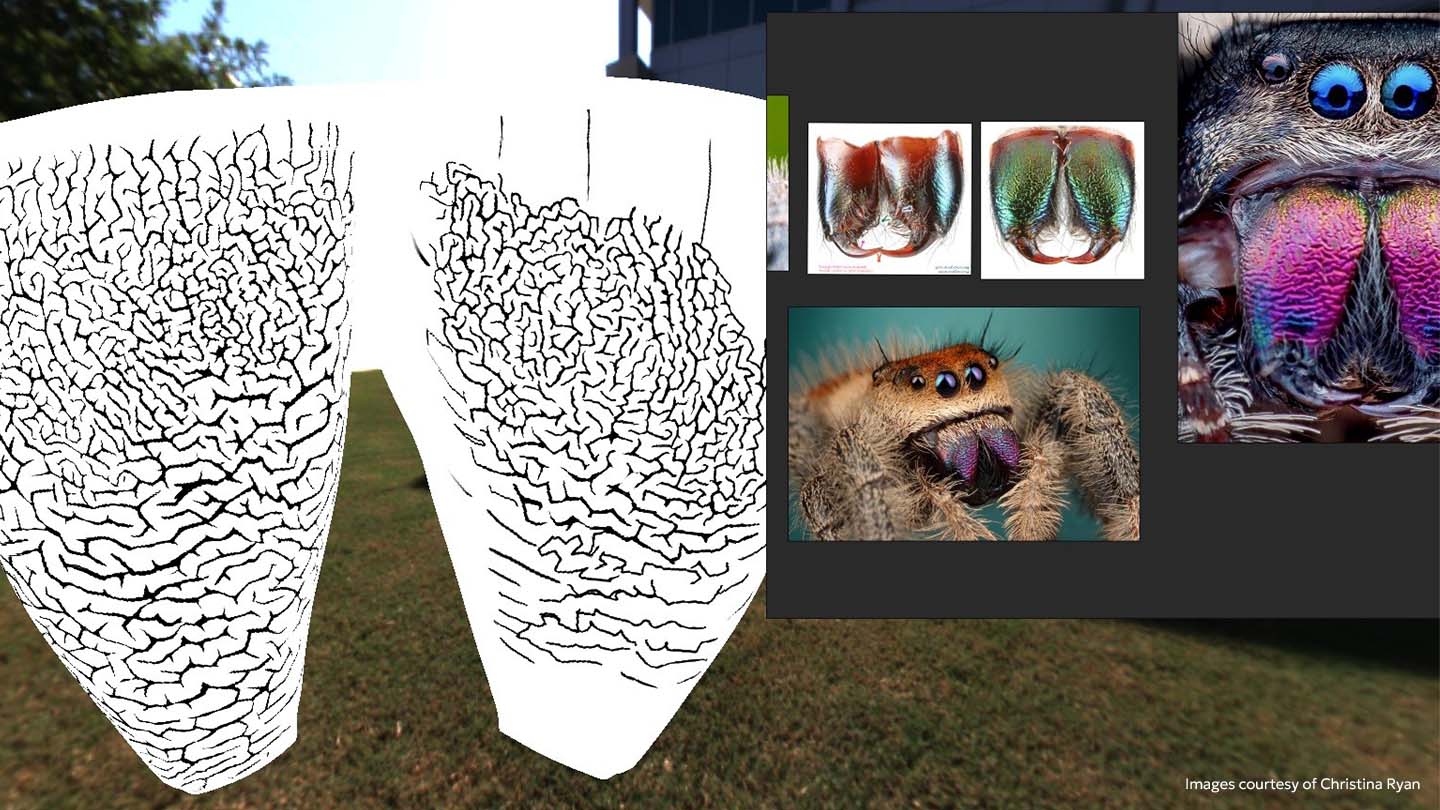
What were your main inspirations for this project?
I found a love for macro photography throughout this project, and began following a lot of talented photographers on Instagram. My feed was curated with tiny insects and critters, showcasing their fascinating details. Compositions were generally simple, had a shallow depth of field, and bright backgrounds that complemented the colors of the subject. I referenced this in my artwork and final comp treatment, to help portray a sense of scale and realism.
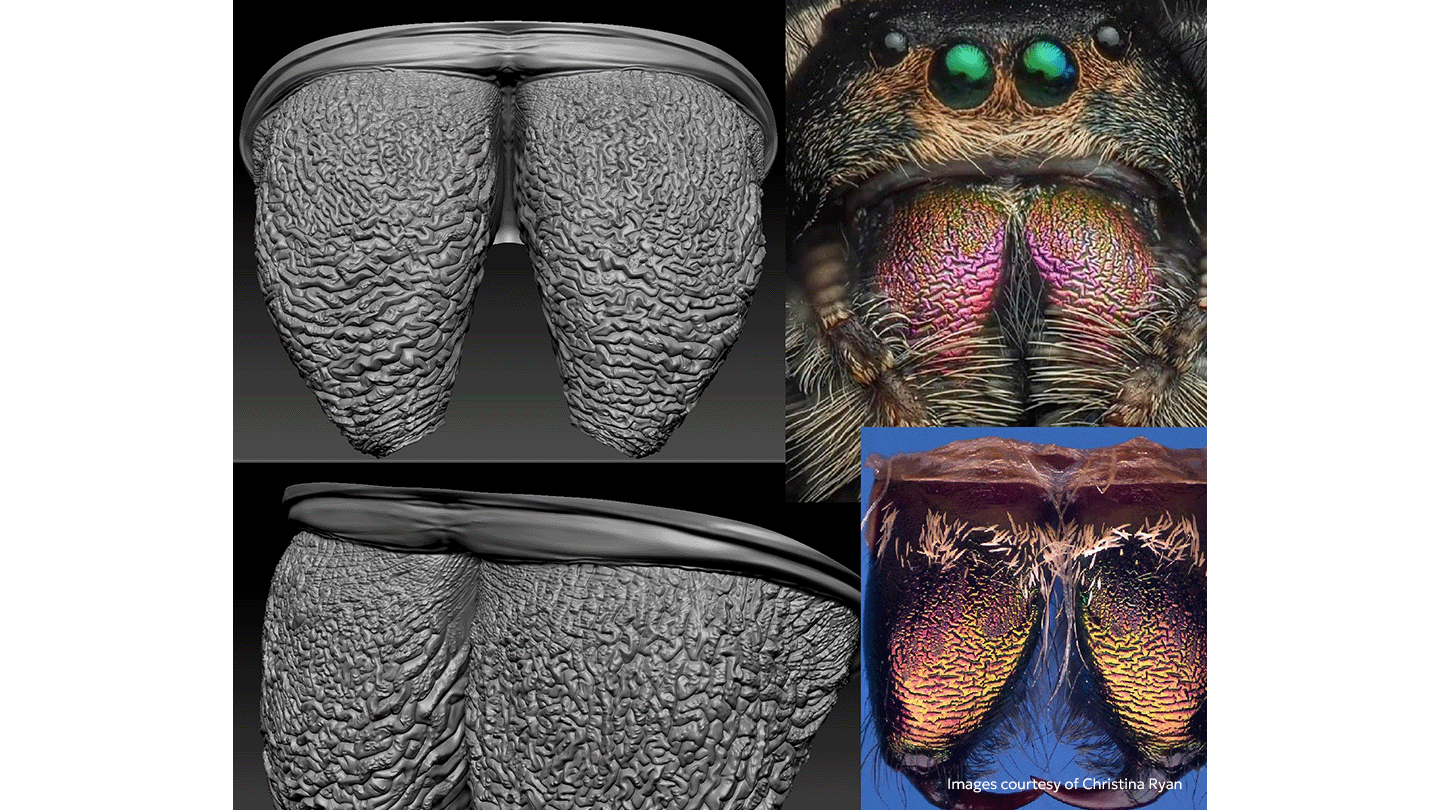
Can you tell us about your workflow on this project?
I began the project on my iPad, creating the base mesh and initial sculpt in Nomad Sculpt. It was a great way to get the project moving while away from my desk. I used instancing to sculpt a single leg at the origin and propagate it across all eight legs. I then used CozyBlanket for retopology and UVs, which was surprisingly intuitive and enjoyable!
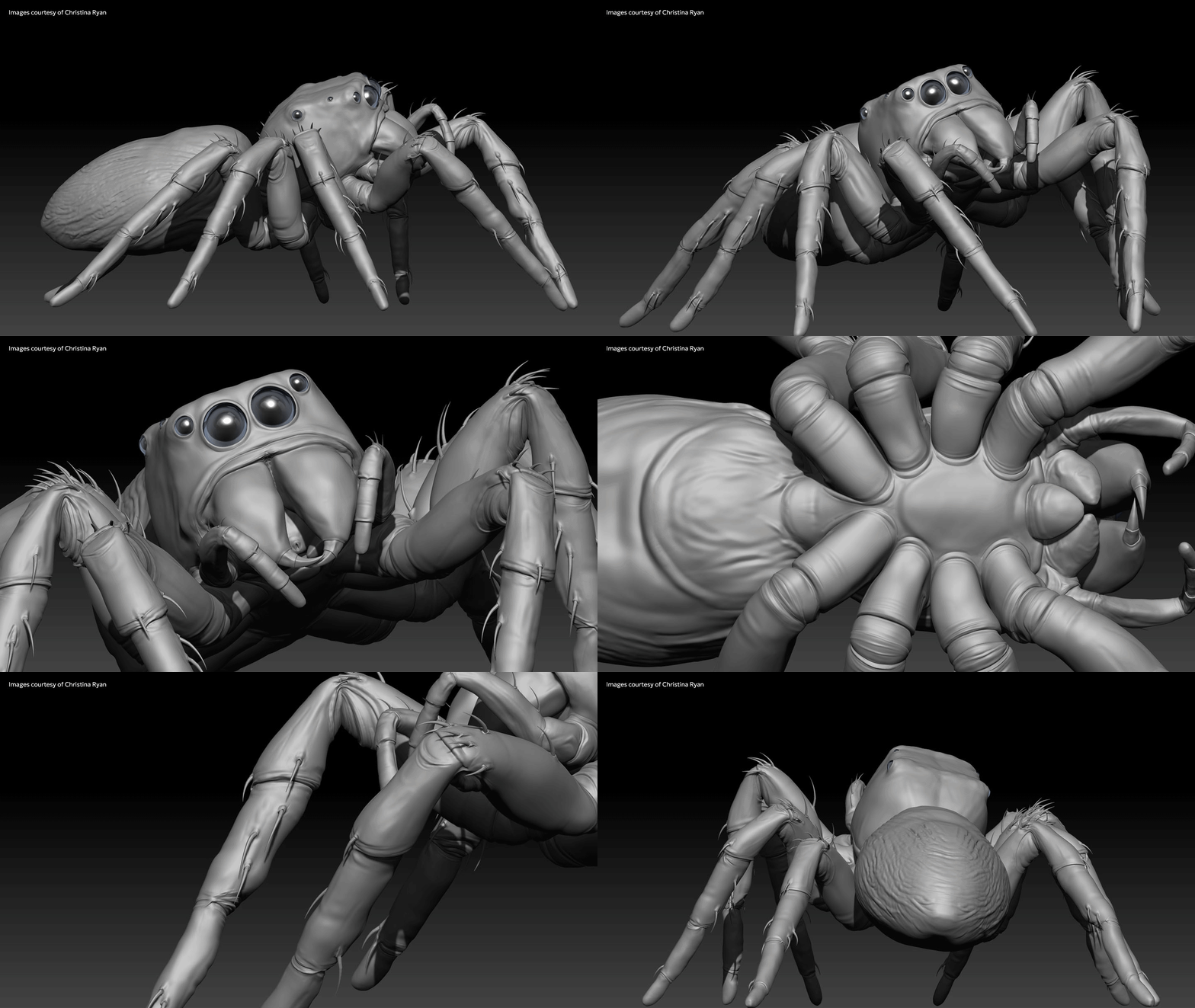
Eventually, I moved the project to my PC, and continued refining the sculpt in ZBrush. The wrinkled metallic fangs were particularly challenging, and required a lot of manual sculpting guided by a hand-painted alpha from Mari. I used Blender for file management, laying out UVs across multiple UDIMs, rigging, and posing.
I brought the asset into Houdini early to start exploring composition, lighting, displacement. Establishing the pose and camera early helps me determine where to spend my energy, and shape the character’s personality in frame.
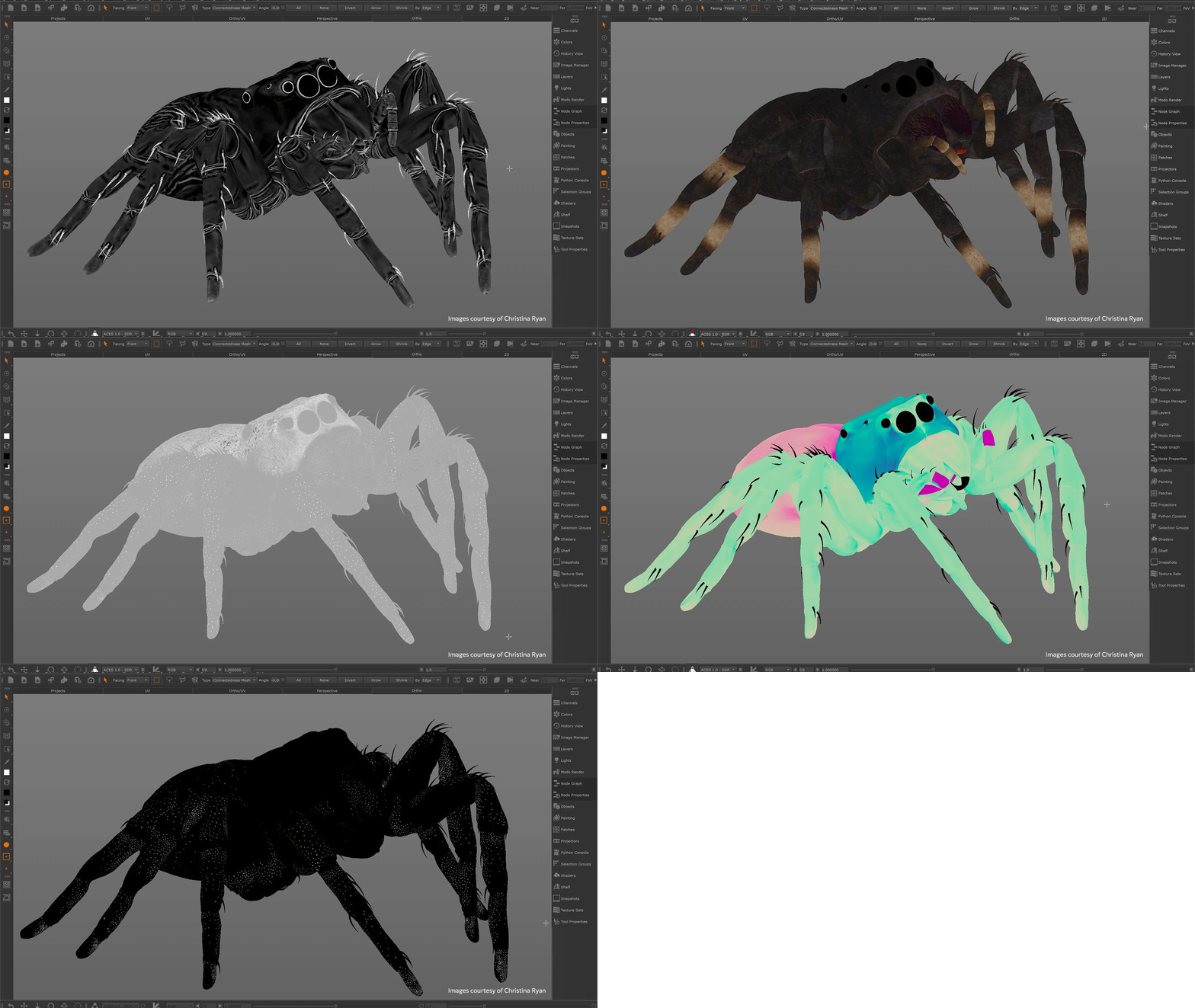
For texturing and tertiary displacement, I used Mari 7.1v1. I generally focus on displacement first before moving onto color maps and secondary maps. I used a very traditional creature workflow, with lots of hand paint subsidised with photographic tiles and Texturing XYZ maps where possible.
The groom was created in Houdini, and was the most challenging part of the project. Shading, lighting, and rendering were done in Renderman for Houdini, allowing me to directly use geometry attributes in the shading process.
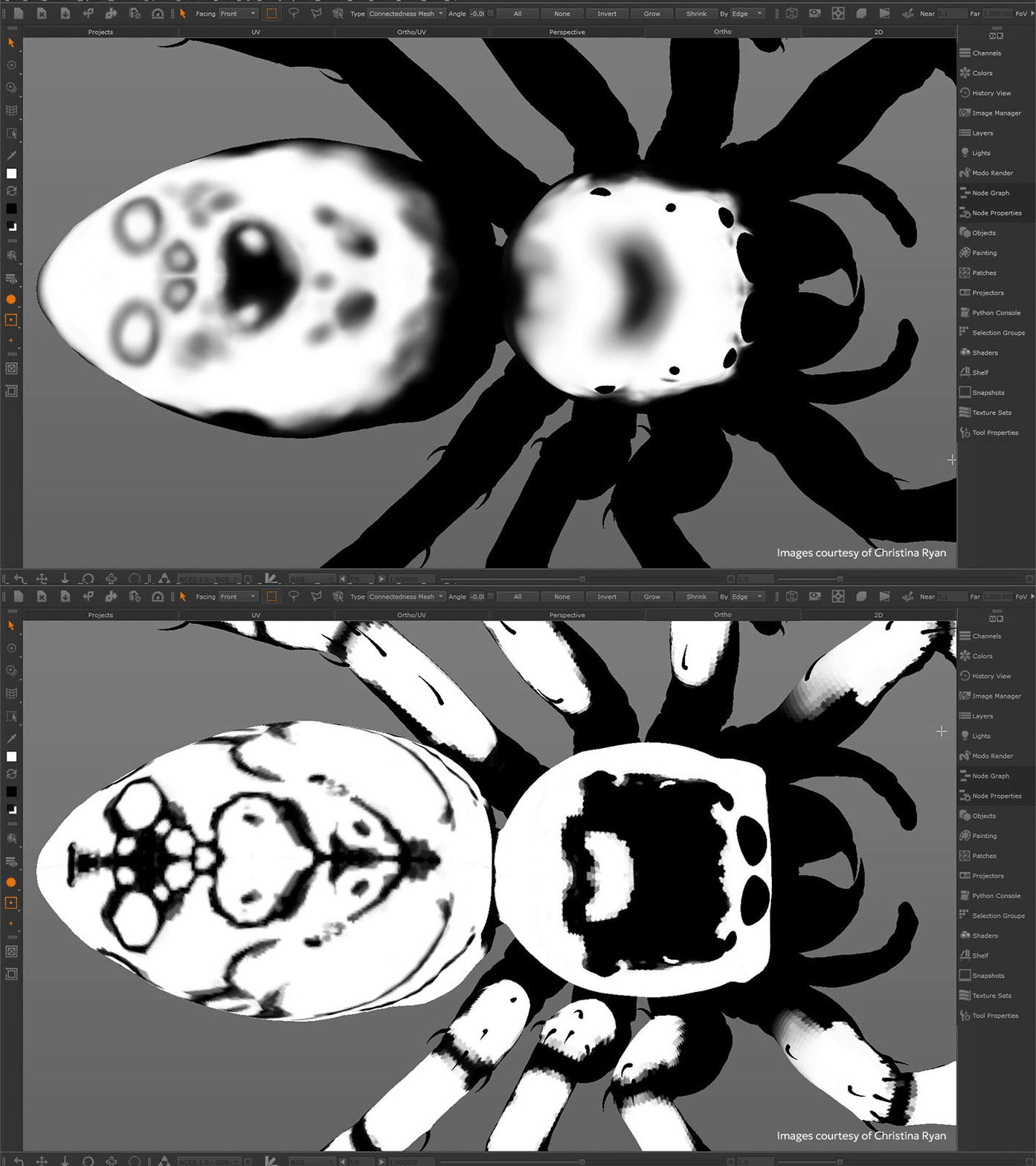
Can you tell us about how you used RenderMan with Mari in your workflow?
I’m very familiar with MaterialX Lama, the material layering system developed at Industrial Light & Magic. Being publicly available through RenderMan, it made perfect sense to incorporate it into my workflow. I brought the textures and region maps I made in Mari into Houdini, using the RenderMan plugin to build custom shading networks for Marilou and her leaf.
Were there any specific challenges in this project that Mari helped you to overcome?
I needed to create a lot of alphas and textures for this project, and I loved using Mari 7.1’s new 2D paint feature for this process. It meant I didn’t have to leave the program, could easily make live adjustments, and also make use of Mari’s amazing toolset.
Did you learn anything new while working on this project?
So much! Building a project from scratch at home brings so many unique challenges, as nothing is pre-automated or set up for you. A significant challenge was setting up the ACES color pipeline and rendering, and learning to debug the various issues that come with that.
Learning to create, texture, and shade such an intricate groom really pushed my limits of creative and technical knowledge. I found that my look development skills were transferable, and I often leant upon my talent pool of friends for workflow advice, to make sure I didn’t go down too many rabbit holes.
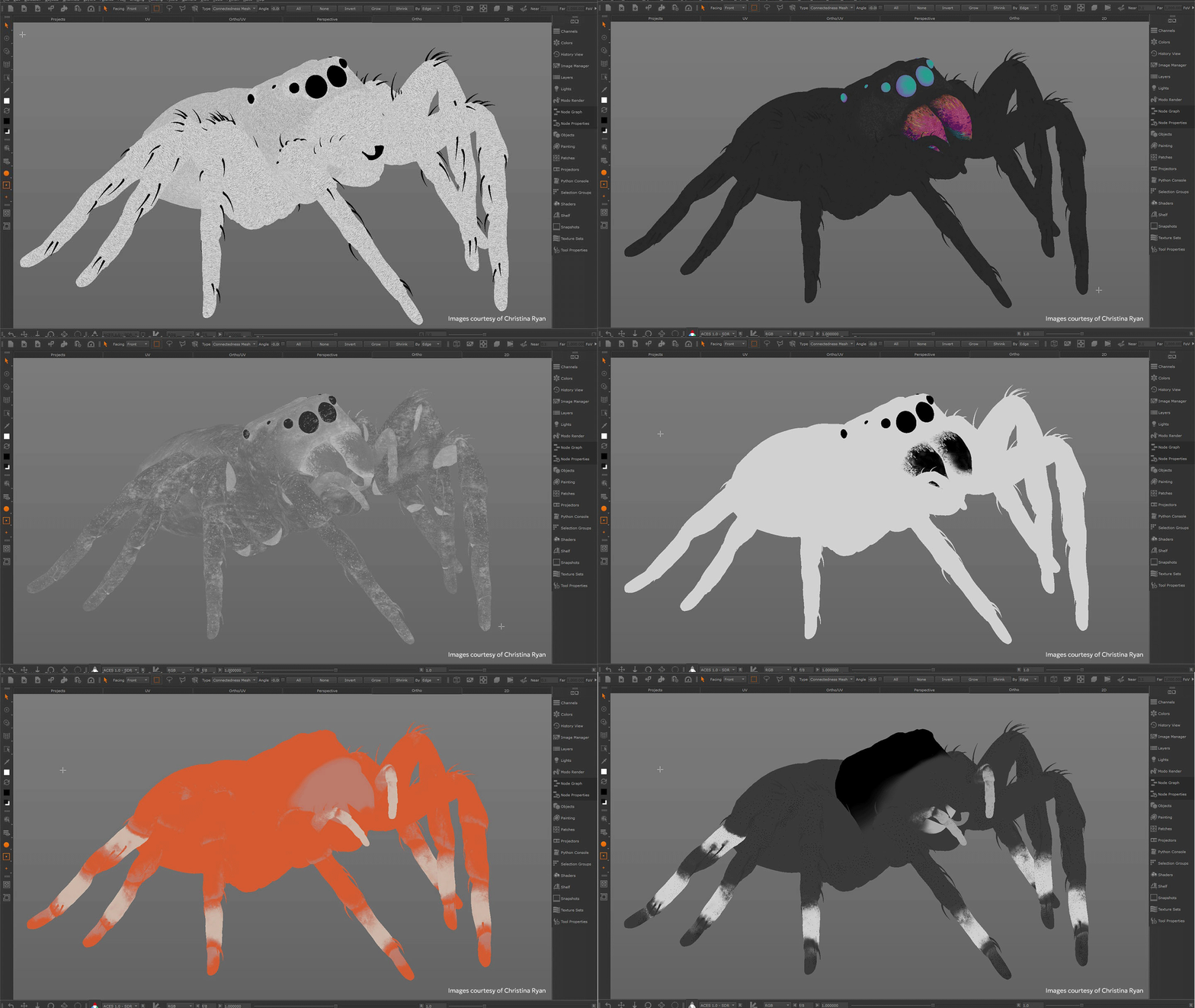
How does it feel to know that you’ll see your own artwork when you open up Mari?
Absolutely indescribable. To represent the VFX community in this way is such an honour, and I feel so grateful.
What do you think are the advantages of Mari compared to other software?
Mari gives you the freedom to hand paint and manage a project in whatever way you like, knowing it’s the most robust and stable choice to hold large projects. It is also completely customisable, can easily manage a large number of UDIMs and texture exports, and has accurate color management.
The Node Graph offers a significant advantage, as it’s flexible, and has a similar feel to the shading workflows I used as a Look Development artist. This is important, because it means we can structure our scenes in a way where components can be exported and rebalanced in shader if needed.
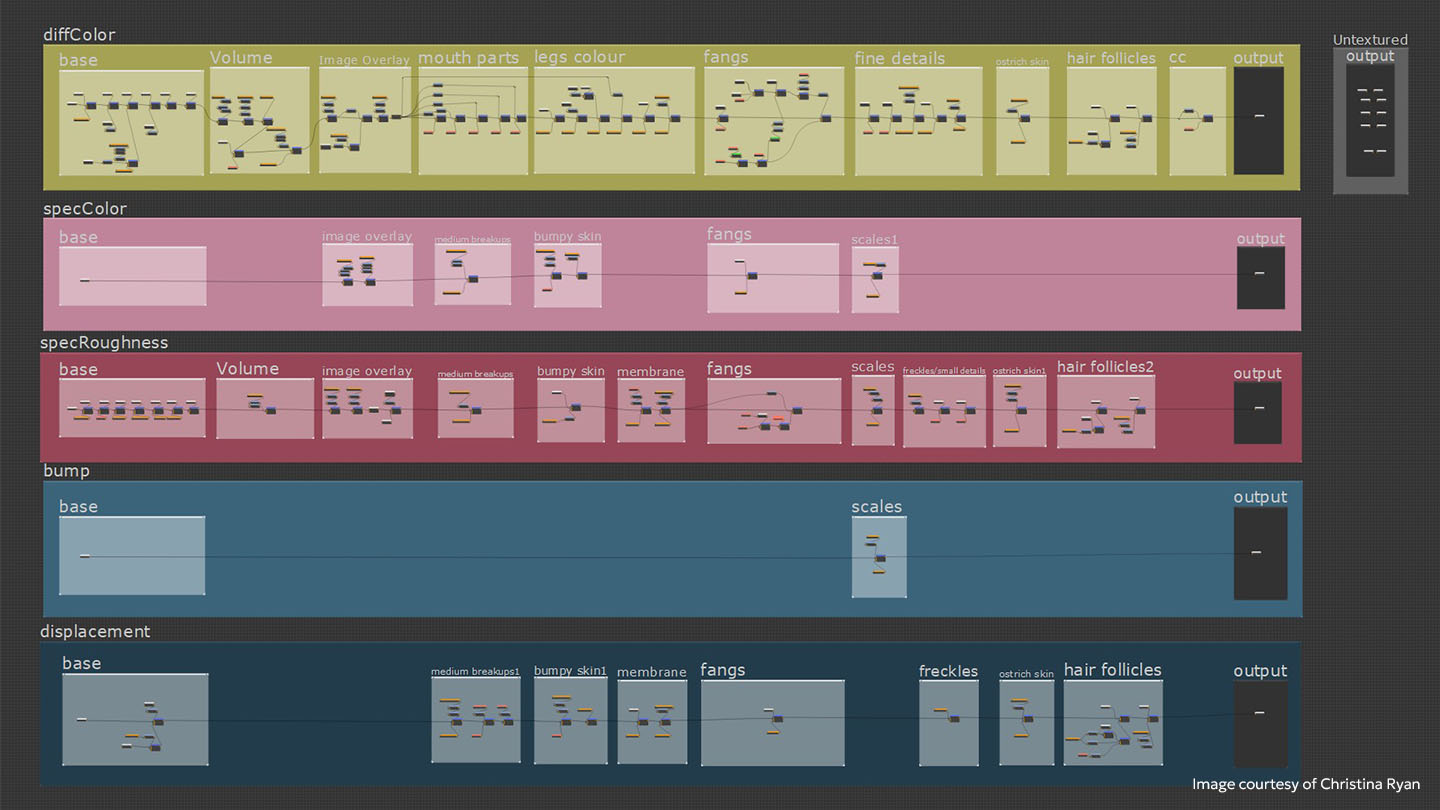
What features or characteristics of Mari do you particularly like, and why?
I love Mari for creature and organic work, which requires a lot of hand paint and traditional image projection techniques. I love using the paint buffer and warp to project images and build up story telling elements with alphas.
Are there any features or improvements you’d like to see in the next version of Mari?
I’d like more features added to the Bakery, including extra bake types, flexible patch selections, and the ability to refine settings per mesh/UDIM. I’m also keen to see how the 2D paint and multi-channel features develop.
A more accurate/efficient real-time viewport shader that shows displacement while we paint would be nice. Also, as an artist who likes building tools but lacks coding knowledge, I'd like more artist-friendly ways of creating gizmos and customizing the user interface.
What advice would you give to young people hoping to break into the VFX industry?
Be prepared to work hard. The VFX industry is small and fiercely competitive. If possible, find a school that has strong industry connections. This will give you access to networking opportunities, and mentors that can give you targeted advice.
Take responsibility for your own learning. Research the studios you’re interested in, the type of work they produce, and what they expect from their junior artists. Be honest with yourself about where opportunities exist, and whether you’re willing to relocate or adapt your goals to pursue them.
Finally, find what excites you most and focus on those skills. VFX roles are highly specialised, so tailoring your skills and showreel to a specific discipline gives you a much stronger chance of breaking into the industry.
Want to brush up on your Mari skills? Check out our Mari in Minutes video course, a quick-start guide to mastering the fundamentals of texture painting in VFX and animation.