How to get the most out of LTX-2.5 with Griptape
Griptape now supports the recently announced VFX capabilities for LTX-2.5, released in open weight AI model, bringing the latest capabilities to the API for ease of use. LTX is an open-source family of models developed by LTX. The latest updates enable you to expand your VFX toolset within Griptape to accelerate your creativity. Read on to find out how to get the most out of LTX-2.5 with Griptape.
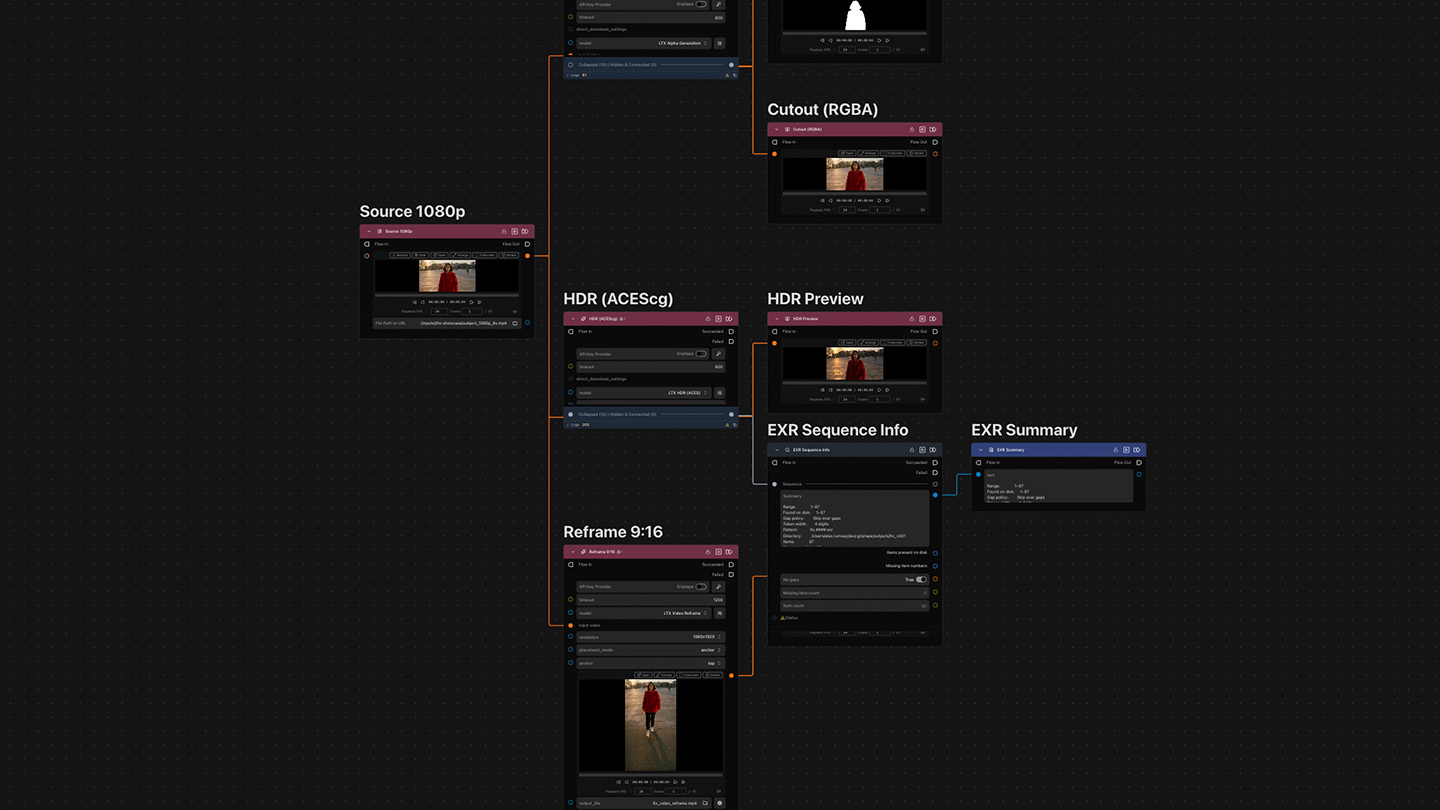
Following the LTX-2.5 updates, you can now complete matte extraction, convert SDR to HDR, and reframe and upscale all from nodes you can wire into a Griptape Nodes graph, saving you time with the many manual, time-consuming tasks that can be part of your day-to-day VFX work. And all of this can be run through the cloud, so there’s no need for high-end GPUs.
The latest LTX nodes:
- LTX Alpha Generation: turns a video into a matte and an RGBA cutout in one step, ready for comp.
- LTX SDR to HDR: converts SDR footage and returns a 16-bit scene linear EXR frame sequence, in ACEScg.
- LTX Reframe: re-frame a video to a new aspect ratio, generating the new scene content.
- LTX Upscale: upscale footage to 4K or 8K, natively.
The latest updates via the LTX API are ideal for compositors, VFX artists and pipeline TDs who already work with EXR and ACES and want to be able to connect a workflow and re-run across shots, in an easy, consistent, and repeatable way.
How to pull a matte from a shot
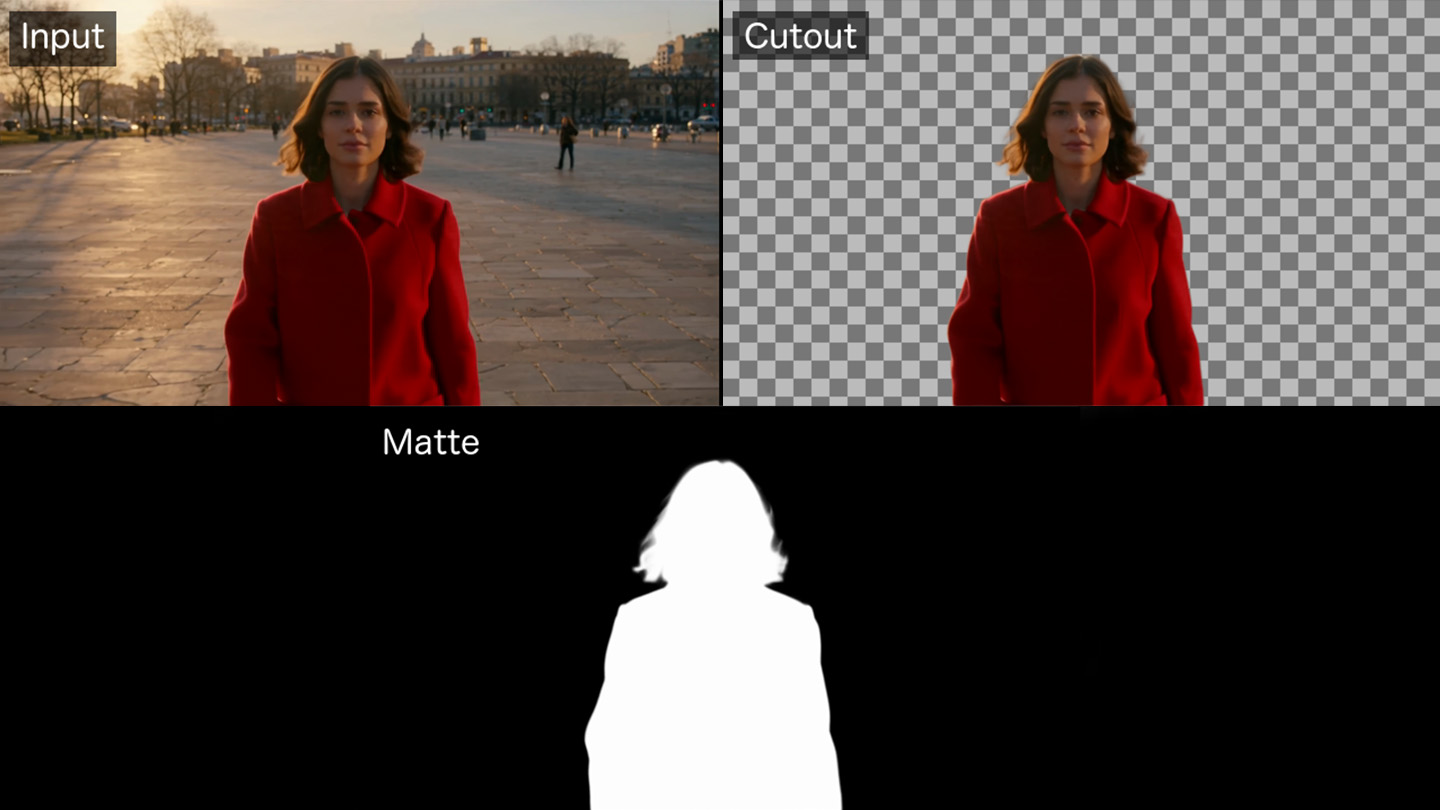
It's easy to pull a matte from a shot: simply give the LTX Alpha Generation node a video, and it will return a greyscale matte along with an option RGBA cutout, which is encoded as a ProRes with alpha. (Note: the output RGBA ProRes option is toggled off by default as most jobs will only need the matte).
You can use this node to lift a subject off its background for compositing, or to drive a downstream effect. In the example below, the matte follows the subject's hair and coat, and the cutout sits on a checkerboard so you can see the transparency.
How to add SDR footage into an ACES pipeline
Within the LTX model in Griptape, the HDR node now defaults to a new model, LTX HDR (ACES). When used, it returns an EXR frame sequence plus a 10-bit HEVC preview in BT.2020 with HLG, and you can pick the EXR output colour space option you need: ACEScg, ACEScct, linear sRGB or ACES2065-1. You can still access LTX 2.3 Pro (marked deprecated), so saved workflows will keep running.
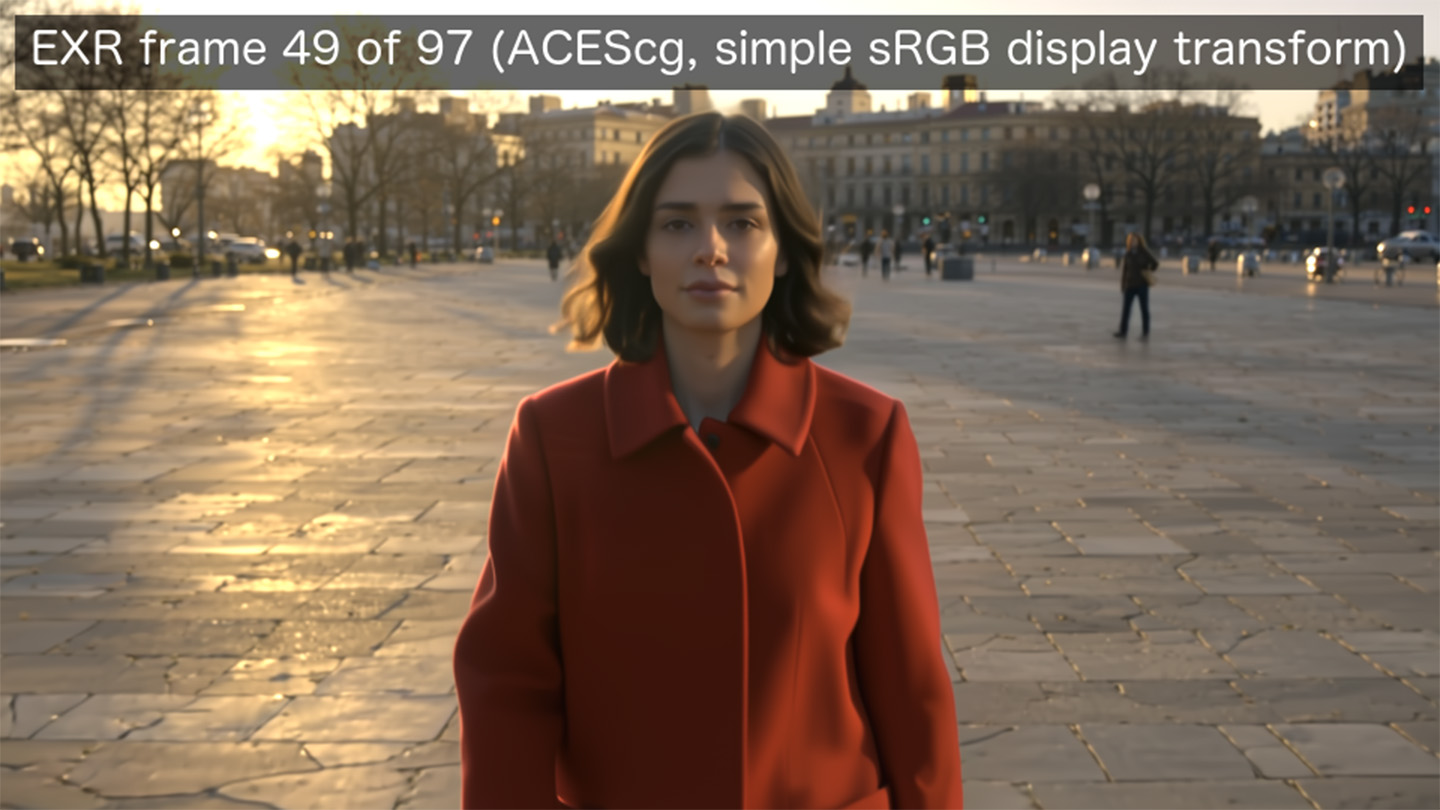
When adding to your ACES pipeline, the EXRs land in your project as a file sequence (`ltx.exr`) rather than one large file, and the node exposes the sequence and its colour space as outputs for the OpenEXR and OpenColorIO nodes. The frame below is from an ACEScg sequence, viewed through a simple sRGB display transform.
The preview file is a real 10-bit HLG video, so it only looks right on an HDR display. On a standard screen it will look flat. The still below is tone-mapped for SDR, so treat it as a reference for the preview, not as a picture of the HDR result.

How to deliver one master in several formats
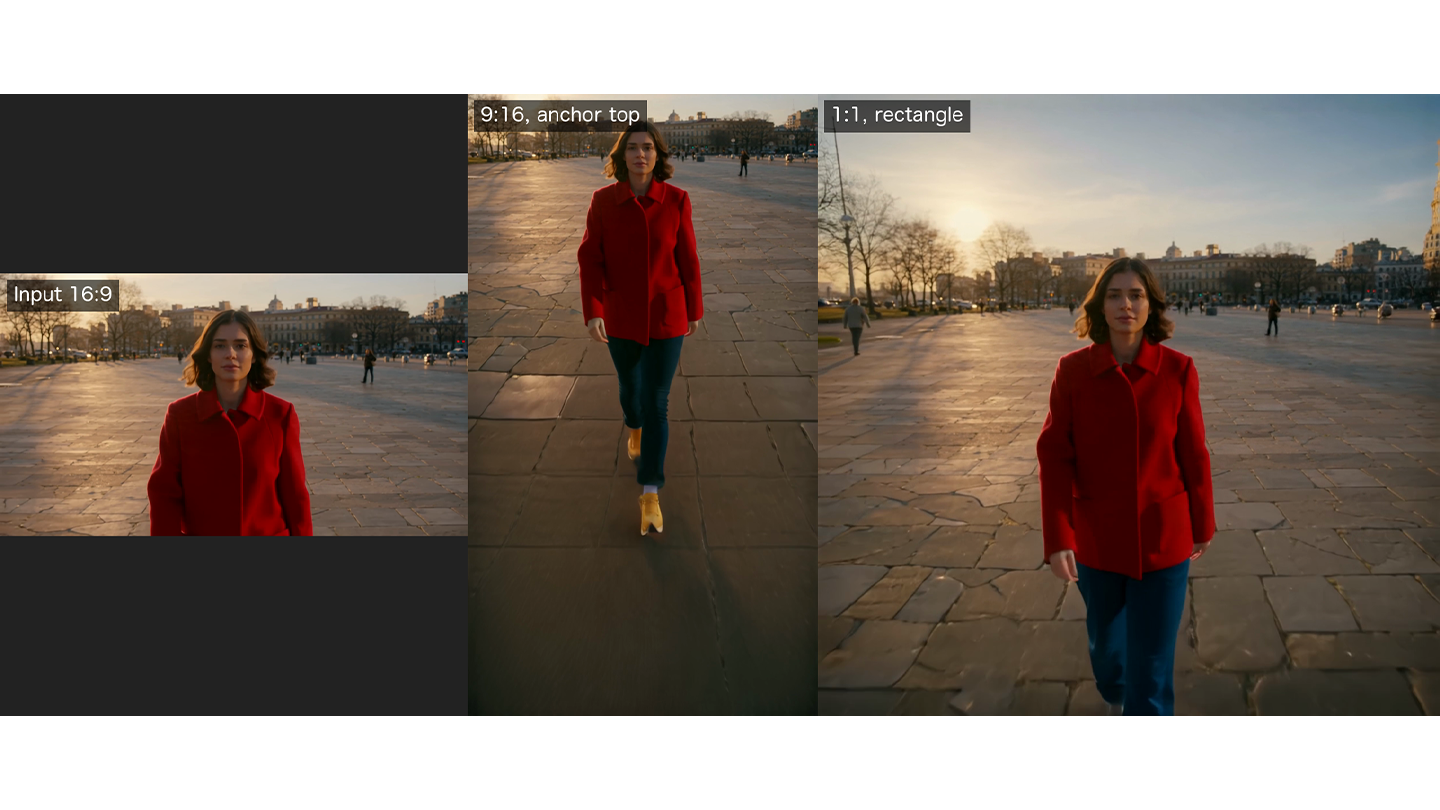
The LTX Reframe node enables you to re-crop a video to another aspect ratio, and generate additional areas where needed in the frame. To use, set the placement mode to center, anchor (an edge or corner) or rectangle (exact x, y, width and height as fractions), and run the same clip into as many delivery formats as you need.
In the example below, a 16:9 clip becomes 9:16 with the anchor at the top, and 1:1 using a rectangle placement. In our tests, audio and frame count came through unchanged.
How can I use footage that’s too small?
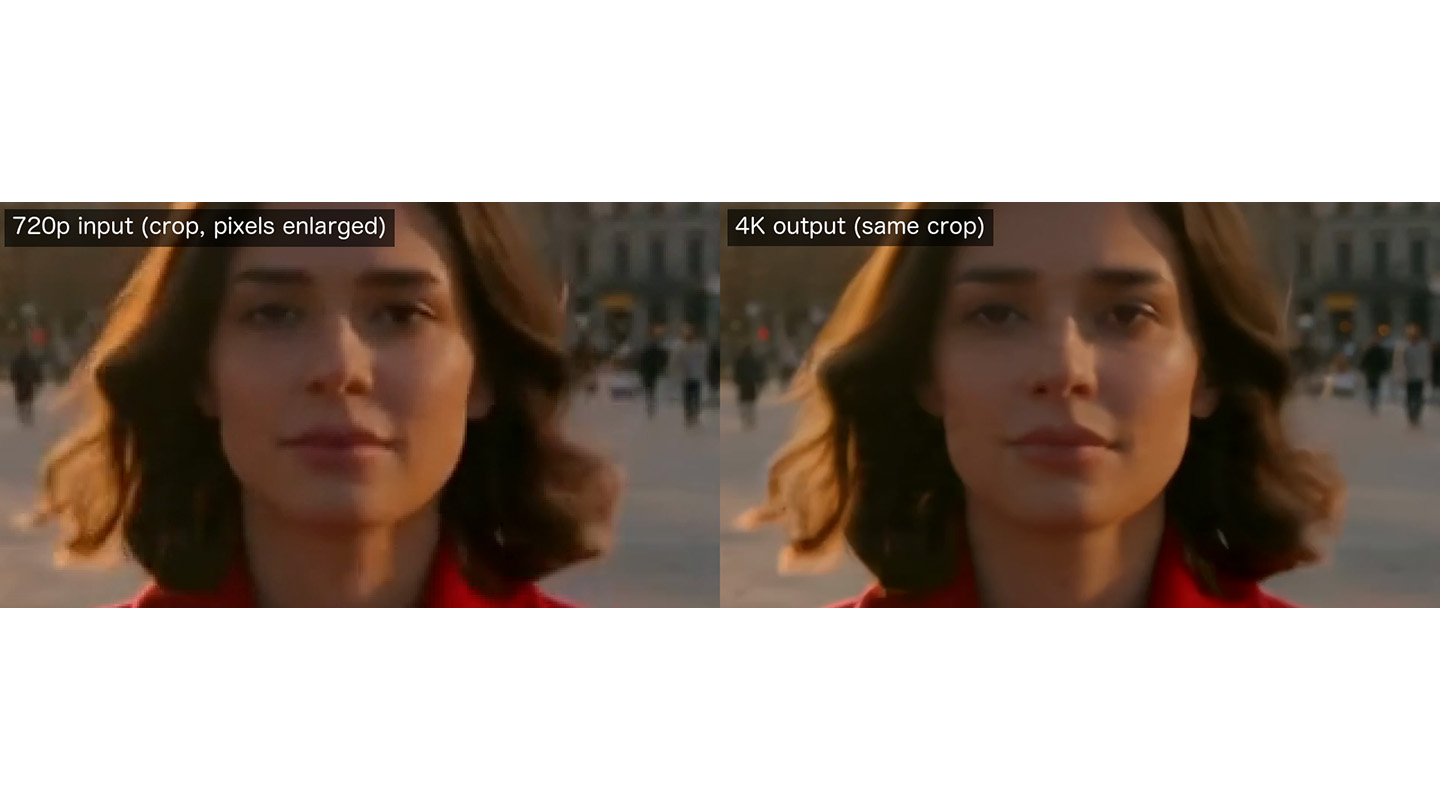
The LTX Upscale node takes footage up to a higher resolution. In our test, 1280x720 footage came back at 3840x2160 with audio and frame count intact. The examples below show the same region of the 720p input, with its pixels enlarged, next to the 4K output.
What you need to know for LTX Upscale with Griptape:
- 4K is the default upscale output, but you have the option for 1080p or 8K as well.
- You can use H.264 or HEVC as inputs, with a short side of at least 480px and maximum of 7680x4320, with at least two frames at 1fps or more.
- There are limits on length depending on output quality, with 2,401 frames for 1080p, 601 for 4K and 241 for 8K (which equates to approximately 100s, 25s and 10s respectively at 24 fps).
- You will be billed per second of the input video, at the rate of the output tier you pick.
- The node checks your clip against these limits before it uploads or bills anything, so one that's too long or too large fails straight away.
How will the nodes cope with big files?
By their nature, VFX outputs are large, so the nodes will treat them differently from an ordinary API call:
- URL inputs: LTX takes up to 200 MB of video from a public HTTPS URL but only 15 MB as base64. The HDR node now accepts a URL, so a large source doesn't have to be encoded inline.
- Direct download: An optional toggle, off by default, downloads outputs straight from the provider to your machine instead of going through Griptape's artifact hosting. Downloads stream to disk and respect your output file's write policy, so a failed save won't overwrite a good earlier result.
- A 2 GiB guard: If direct download is off and a job is expected to produce more than 2 GiB, the node warns you and stops before anything is uploaded. Turn direct download on to run it. The size is an estimate based on typical data rates for ProRes 4444 and EXR archives.
Getting started with LTX
You can use LTX Reframe and LTX SDR to HDR in your workflows now.
To use these new nodes, update the standard library in Griptape, search for LTX Video Alpha Generation, LTX Video to Video HDR, LTX Video Reframe, or LTX Video Upscale.
You can start with a short clip, check the cost shown, and send the EXR sequence output on to your OpenEXR nodes. You can see the open source library on Github.
Get started with Griptape today with your free account, or contact us to learn more about Griptape Enterprise for your studio.